Two things shipped in GuestsKey that we never wrote up on the blog: a vacation rental guest portal and a cleaner portal for short-term rentals. Each is a single link that opens in a phone browser. Neither needs an app, a password, or an account. They serve two different people with two different problems, and each has one behavior that surprises hosts the first time they see it. This post is mostly about those two behaviors.
Why two portals
Guests need three things on arrival: the door code, the WiFi, and the check-in instructions. They usually have all three, scattered across a message thread, an email, and a text from last week. Cleaners need something else entirely: which properties are dirty, when the next guest arrives, and a way to tell you when they're done. Neither group wants to install anything.
The two audiences also want opposite things from the same property. The guest needs the code. The cleaner should never see it. So: two links.
Guest portal
One link per booking with the door code, WiFi, check-in instructions, house rules, directions, and an emergency contact. Sent when the code is confirmed on the lock.
Cleaner portal
One link per cleaner listing every property, its cleaning state, the next check-in, and buttons to start and finish a clean. Never a door code.
The guest portal
What a guest sees
One link shows the guest everything for the stay: the door code, the WiFi name and password, check-in instructions, house rules, directions, and an emergency contact. It opens in a browser. There is nothing to install and nothing to log into.
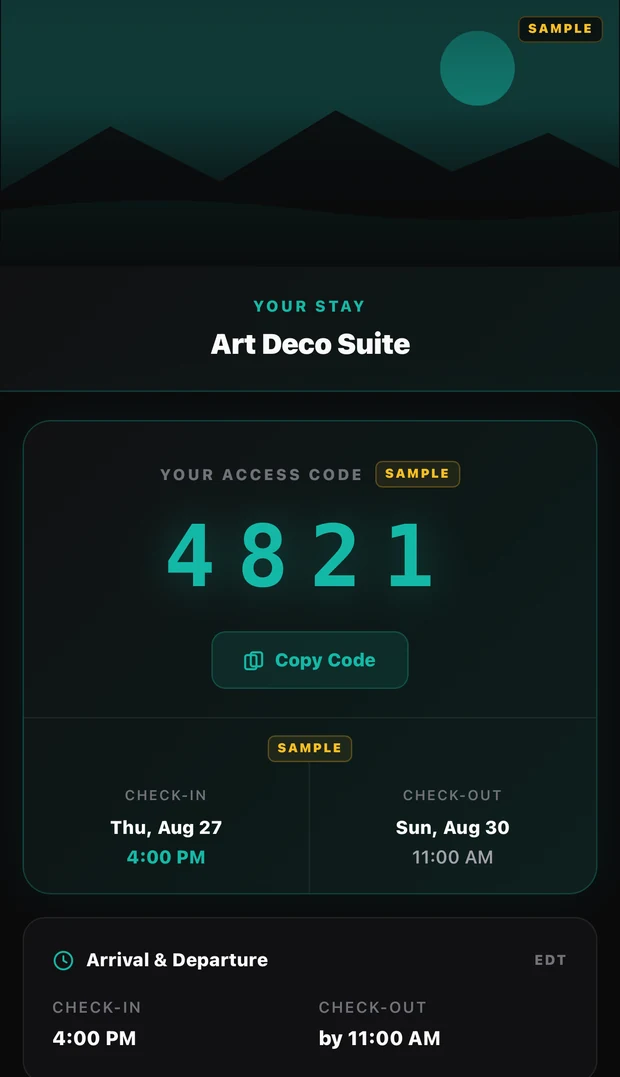
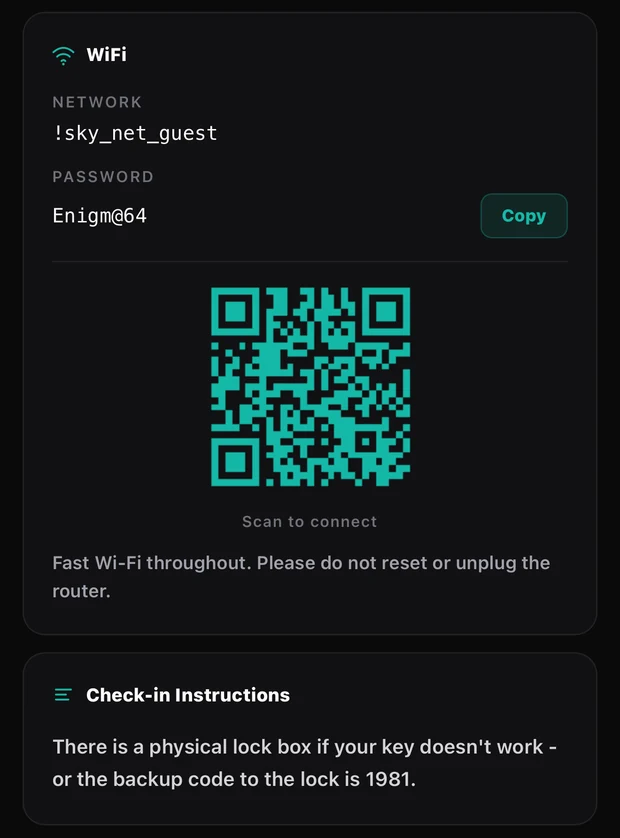
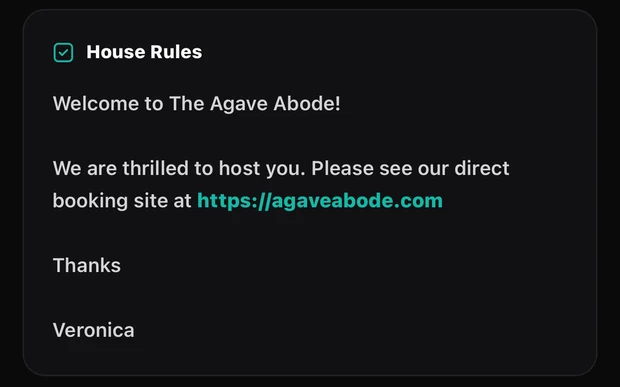
The guest portal in preview mode on a demo property. Everything here is sample content.
You turn it on per property. Open the property, go to the Automation tab, and find the Guest Portal card. You can preview exactly what a guest will see before enabling it, and previewing sends nothing to anyone.
When the link goes out
For a property with a connected lock, the link is sent automatically. But it is not sent when the booking is created, and it is not sent a fixed number of days before arrival. It goes out when the guest's code is confirmed on the lock.
That is deliberate. The portal's job is to hand the guest a working code, so its timing follows the code schedule, not the reservation. Until the lock has confirmed the code, there is nothing worth sending. Once it has, the link goes.
Two other things have to be true for the automatic send: the portal has to be enabled for that property, and your notification settings have to allow guest messages. If you switch the portal off for a property, guests still get their code the old way, as a plain message with no link.
You can also send it yourself at any time. Open the booking and use Resend Portal Link, then choose text, email, or both.
The code is withheld until it activates
Here is the second piece of timing. If a guest opens the link while their code is scheduled but not yet active, the portal deliberately does not show the code. It shows them when the code will be available instead.
We do this because a guest who arrives a day early, opens the link, sees a code, and tries it will conclude the code is broken and call you. Telling them when it will be available is simply the truth. By default the guest code activates 10 minutes before check-in, and once it does, the code appears in the portal. A static door code has no such delay, because it was never scheduled.
OwnerRez merge fields
If you send your own check-in messages from OwnerRez, GuestsKey writes the portal link and the door code into OwnerRez custom fields. Use {BXGKPORTAL} and {BXGKCODE} in your own OwnerRez message templates and they fill in per booking. This is OwnerRez only.
When the link stops working
The link stops working two hours after checkout. If a booking is cancelled, the link shows a short cancelled notice with no code, no WiFi, and no address.
The full reference is in the help article on the guest portal.
The cleaner portal
What a cleaner sees, and what they don't
Every cleaner you add gets a personal link to a phone-friendly page. It lists your properties, each with its current state (dirty, in progress, occupied, clean, or ready), plus the next check-in time and when it was last cleaned. Tapping a property gives Start Cleaning; when they're finished, Mark Clean. A completed clean can be undone for 10 minutes afterwards.
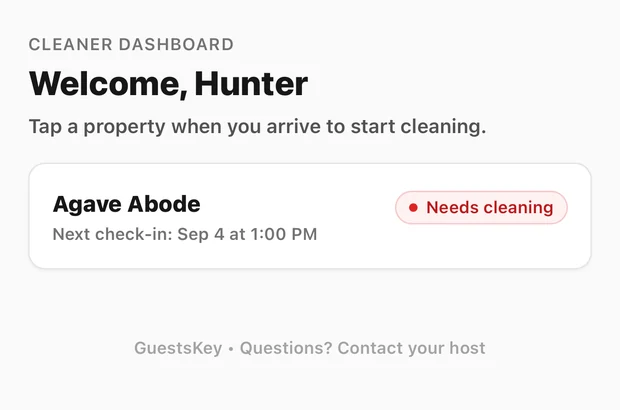
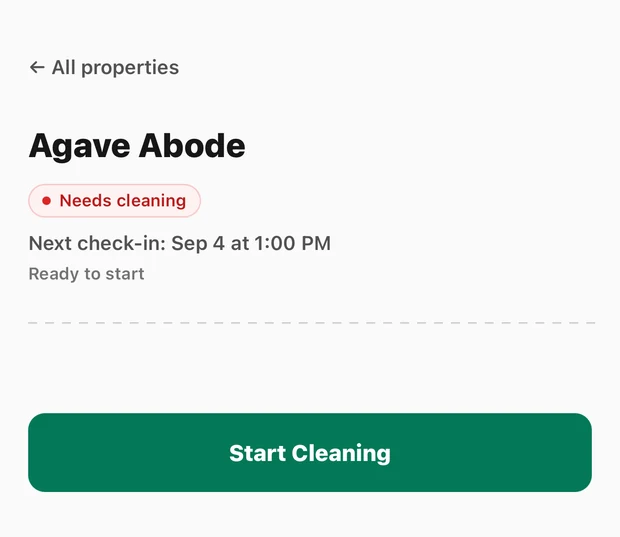
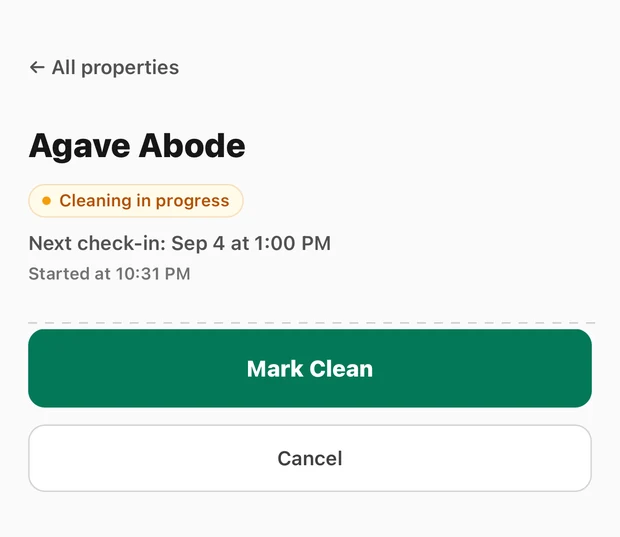
Tap the property on arrival, tap Mark Clean when it's ready. The list updates to "Cleaning in progress" while they work.
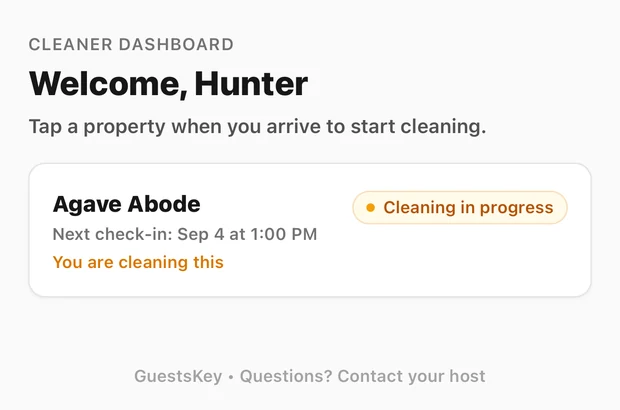
The link is the login. No app, no password, no account.
Cleaners never see door codes, guest names, or anything about your integrations. They see property names, cleaning state, and check-in timing, and that is all.
Mark Clean can let the next guest in early
This is the cleaner portal's surprising behavior, and you should explain it to every cleaner before you hand out the link.
If the next booking's check-in is coming up and the cleaner marks the property clean early, GuestsKey can move that check-in forward and activate the guest's code right then. The guest is notified that the place is ready. The portal warns the cleaner before confirming when check-in is near, so it is not a silent side effect. But it is a real one: a tap on a phone in your cleaner's hand can open your door to the next guest ahead of schedule.
Tell your cleaners this
Marking a property clean is not just a status update. If the next guest is due soon, it can bring their check-in forward and switch their code on. The portal asks before it does this. Tap Mark Clean when the place is actually ready for a guest, not when you are about to start the last room.
Adding a cleaner, and what that actually grants
Add cleaners under Cleaners in the dashboard sidebar, in the More group. Give them a name, a PIN, and a phone number, and the portal link is texted to them automatically. From the same list you can copy the link, resend the text, regenerate the link if a phone is lost (which invalidates the old link immediately and texts the new one), or revoke it entirely. Delivery is text only. There is an email field on the cleaner record, but nothing is sent to it today. Texts are metered at $0.05 per message.
The link doesn't expire. It stays valid until you revoke or regenerate it.
Here is the part to be careful with: portal access and door access are the same thing. Adding a cleaner gives them the portal link and an always-on PIN that works on every lock across all of your properties. There is no per-property assignment. If a cleaner only ever does one of your five places, they still get a PIN that opens all five. We are being upfront about that because it is the wrong model for some operations, and you should know before you add anyone.
You can revoke the portal link and leave the PIN working. You cannot give someone the portal without the PIN. And when a cleaner leaves, revoke the link and deactivate the cleaner. Revoking the link alone leaves their code on every door.
The PIN mechanics
One PIN per cleaner, applied to every lock. Add a lock and every cleaner's code lands on it automatically. Change a PIN and it is pushed everywhere. Delete a cleaner and it is removed everywhere. There is nothing to configure per property.
For one-off access to a single property in a fixed window, say a plumber on Tuesday afternoon, a cleaner record is the wrong tool. Use a one-time key instead.
The full reference is in the help article on the cleaner portal.
Properties without a connected lock
The guest portal's automatic send is tied to a lock confirming a code. If a property has no connected lock and uses a static door code instead, the portal shows that code with no activation delay, but GuestsKey does not send the link on its own. You send it from the booking with Resend Portal Link, or let your own OwnerRez templates carry it via the merge fields above. Static door codes are covered in the help article on static door codes and in our post on static door codes for keyless properties.
What it costs
Both portals are part of every GuestsKey account. There is no per-portal fee and no per-user fee. What you pay for is locks, billed per connected device, from $4 (SmartThings) or $5 (Seam) per lock per month, dropping as you add locks. The full breakdown is on the pricing page, and the locks that can be connected are listed under supported locks.
Try both portals on your own properties
Every GuestsKey account includes the guest portal and the cleaner portal. Start a 14-day free trial. A credit card is required upfront. Billing starts on day 15 unless you cancel, and cancelling during the trial means you are never charged.